API Public Parameters & Merchant Key Configuration Konck! Knock! OK API Public Parameters & Merchant Key Configuration
Unified Request Method ContentType bindGoogleVerificationCode Log in to the merchant dashboard -> Personal Center -> Security Information, and use Google Authenticator to scan the QR code on the page to bindyour account. RSA Key Pair Generation
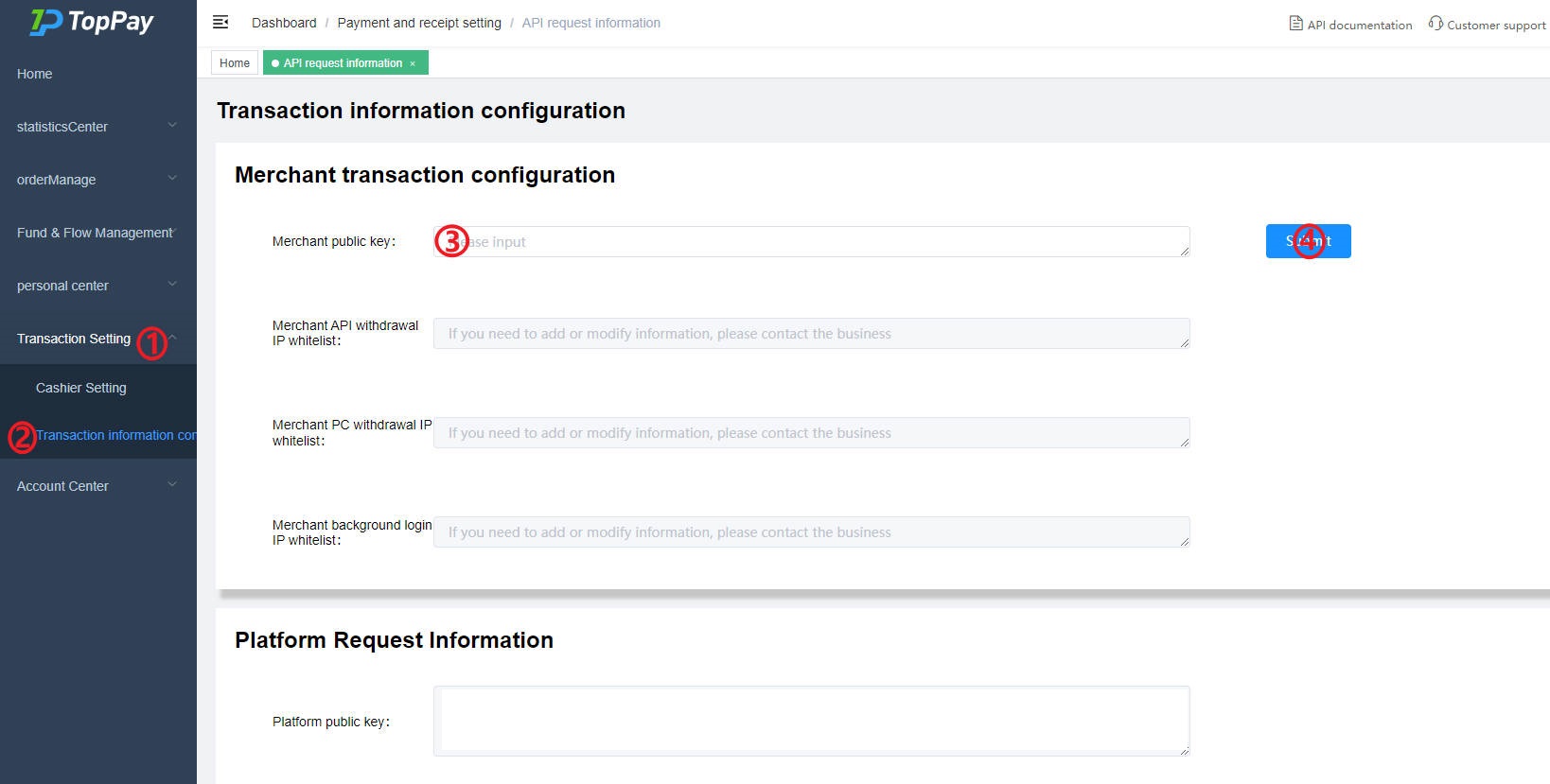
Log in to the merchant dashboard, as shown in the figure above, click ①, ② in sequence to enter the Transaction Information Configuration page. Fill in the generated public key (with spaces and line breaks removed) into ③. Click ④ to submit the public key content. Merchant Dashboard Address